
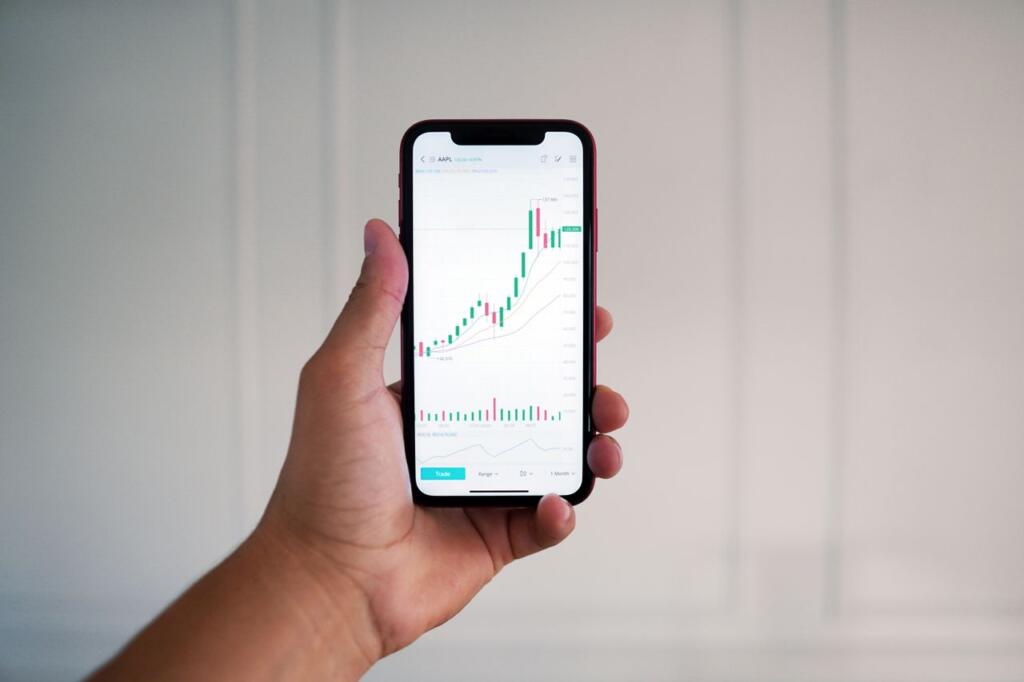
Choosing the right stock market trading app can make a difference to your trading experience, risk management, and ability to make informed decisions. A good trading app should combine ease of use, reliable order execution, strong security, and useful research and analytical tools.
Core Usability and Interface
A clean, intuitive interface makes it easier to navigate markets, watchlists, portfolios, and orders. Here are some important usability features to look for:
- Simple onboarding: Clear instructions for completing KYC and opening an account.
- Easy navigation: A logical menu structure with quick access to frequently used features.
- Customisable dashboards: Options to track relevant information, such as market indices, top gainers, and personal watchlists.
- Consistent performance: A smooth experience on Android and iOS devices, including during busy market hours.
An app that is difficult to navigate or frequently experiences technical issues can increase the chances of order-entry mistakes and make it harder to respond to market movements.
Real-Time Data and Market Depth
Timely market information helps investors assess prices and make informed decisions. Important data features include:
- Current or near-real-time prices for stocks, indices, and derivatives.
- Market depth showing available buy and sell orders at different price levels, where offered.
- Company announcements and relevant market news.
- Customisable alerts for price levels, volume changes, or significant news events.
The availability and update frequency of market data may vary by platform and subscription. Even with timely information, investors should verify relevant details before placing an order.
Advanced Charting and Technical Analysis
Charting tools can help active traders study price movements and identify potential entry and exit points. A well-equipped trading platform may offer:
- Multiple chart types, including candlestick, bar, line, and Heikin-Ashi charts.
- Technical indicators such as the Relative Strength Index (RSI), Moving Average Convergence Divergence (MACD), moving averages, and Bollinger Bands.
- Drawing tools for trend lines, support and resistance levels, and Fibonacci retracements.
- Multiple time frames and the ability to save chart layouts and settings.
These tools can help traders analyse market trends systematically. However, technical indicators do not guarantee accurate predictions, and their signals should be considered alongside other relevant information.
Order Types and Execution Quality
Order placement and modification are important features, especially for intraday and derivatives traders. Consider whether the app supports:
- Market and limit orders: For buying or selling at the best available market price or at a specified price, respectively.
- Stop-loss orders: To help manage downside risk when the market moves against a position.
- Other specialised orders: Such as bracket orders, cover orders, or Good Till Triggered (GTT) orders, where available.
- Reliable order processing: Clear order status updates and timely confirmations.
- Easy order modification: A straightforward process for modifying or cancelling eligible orders.
A trading app that frequently crashes or delays order updates can create difficulties during volatile markets. However, fast order placement does not guarantee execution at the expected price, and slippage may still occur.
Risk Management and Position Controls
Managing risk is just as important as identifying trading opportunities. Useful risk-management features may include:
- Stop-loss and trailing stop-loss options, where supported.
- Profit-and-loss summaries for individual positions and the overall portfolio.
- Exposure information and margin utilisation.
- Daily loss or exposure alerts, where available.
- Margin calculators for intraday trading, futures and options (F&O), and other supported products.
These features can help traders monitor positions and follow a more disciplined approach. However, not every app offers all these controls, and automated orders or alerts cannot prevent every loss.
Portfolio Tracking and Reporting
Tracking investments after placing an order is an important part of managing a portfolio. Look for features such as:
- Profit-and-loss summaries across supported segments, including equities and derivatives.
- Separate views of holdings, open positions, and segment-wise performance.
- Tax-related reports covering capital gains, STT, brokerage, and other relevant charges, where available.
- Downloadable reports in formats such as CSV or PDF.
- Access to transaction history and contract notes.
Clear reports can make it easier to review performance, maintain financial records, and prepare information required for tax filing. Check the available reports and verify tax calculations against your records where necessary.
Customer Support and Grievance Redressal
Issues can arise at any time, whether they involve login access, an order, a fund transfer, or settlement. A reliable trading app should provide:
- In-app chat or ticket-based support with clear response expectations.
- Phone and email support, along with defined escalation procedures.
- Access to the broker’s formal complaint and grievance-redressal process.
- A detailed FAQ section and help centre.
- Information on how to escalate unresolved complaints through the appropriate exchange or SEBI mechanism, including SCORES where applicable.
Accessible customer support can help resolve problems more efficiently. Before choosing an app, check the broker’s support channels and complaint-handling process.
Research, Education, and Decision Support
Research and educational tools can help investors understand companies, evaluate opportunities, and make more informed decisions.
Useful features include:
- Company fundamentals: Information such as price-to-earnings (P/E) ratio, earnings per share (EPS), debt, cash flows, and peer comparisons.
- Research reports: Analyst views, price targets, and changes in recommendations, where available.
- Stock screeners: Filters based on financial metrics, technical indicators, or investment themes.
- Learning resources: Articles, tutorials, and explainers that help users understand market concepts and investment risks.
Research tools can support decision-making, but investors should assess the assumptions behind recommendations and conduct their own due diligence.
Security and Regulatory Compliance
Since a trading app handles financial transactions and personal information, security should be a priority. Check whether the broker and platform offer:
- SEBI registration: Verify the broker’s registration details through official SEBI resources.
- Two-factor authentication (2FA): An additional verification step when accessing an account.
- Biometric login: Fingerprint or facial recognition, where supported.
- Data protection: Appropriate safeguards for information transmitted and stored.
- Secure fund transfers: Clearly documented processes for moving money between linked bank accounts and trading accounts.
Before depositing funds, verify the broker’s registration and relevant exchange membership. Security features can reduce certain risks, but users should also protect their login credentials and never share OTPs or passwords.
Final Thoughts
The best app for stock market trading balances simplicity with the features you actually need. Look for a platform that offers transparent charges, reliable performance, strong security, useful research tools, and practical risk-management features.
Compare different apps based on your investment goals, trading frequency, and experience. Review their charges and support services, and explore their features before placing your first order. The right app can make trading and portfolio tracking more convenient, but informed decisions and disciplined risk management remain your responsibility.