

Why High-Quality Gaming Clips Matter
People are enjoying the gaming content on platforms such as YouTube, Twitch, and TikTok, and you may significantly damage the level of engagement with your audience because of poor visual quality or a lack of focus on specific objects. Whether it is Valorant epic or retro Pokemon or Dark Souls fight on a higher level, it is all about crystal-clear footage. The AI Video Upscaler that the CapCut Desktop will offer you brings your gaming videos to the next level, transforming them into HD or even 4K. It is a tool that enables artists to bring out high-quality videos, which are professional and enthralling, irrespective of the budget.

How the AI Video Upscaler in CapCut Increases Your Gameplay Videos Up to 4K
With CapCuts AI Video Upscaler, you can improve low-resolution (720p, perhaps, or an older console recording) gameplay video by turning it into high-resolution (1080p (HD) or 4K (UHD)) perfection with little effort.
The main benefits of it are:
- Crisper text, character information and in-game animations
- High-end results at no high hardware cost
Why Gamers Rely on AI Tools for Enhancement
Video editing, capturing, and publishing are the usual tasks of gamers who have to multitask. The AI technology in CapCut makes it easy to focus on improving the quality of the edited videos as it takes place automatically without having to go through labour-intensive processes or install expensive editing software.
Benefits:
- Resurrects old gameplay videos to appear modern
- Helps to eliminate the need for expensive capture devices
- Easy to use, no high-level editing is needed
The importance of High-Quality Visuals in Gaming Content
Looking at the attention economy, it is essential to get the viewer involved in less than a second on platforms such as YouTube shorts or TikTok. High-resolution clips will increase the retention of the viewer, increase the share and make your thumbnails bright. Blurry highlights or pixelated gameplay just do not match in the world of content.
Narration Enhanced by AI-Powered Text-to-Speech
Professional narration in your video using the text to speech AI feature of CapCut. This suits best:
- The creators who do not enjoy recording their voice
- One can save time on commentary recording
- Publishing multilingual content to international readers
There are voice styles, such as Dynamic Streamer or Cool Narrator, that you can use to fit your vibe, whether you prefer to explain tactics or to get excited during clutch plays.
How to Use the CapCut AI Video Upscaler on Your Gaming Videos
Step 1: Activating Your Project in CapCut Desktop
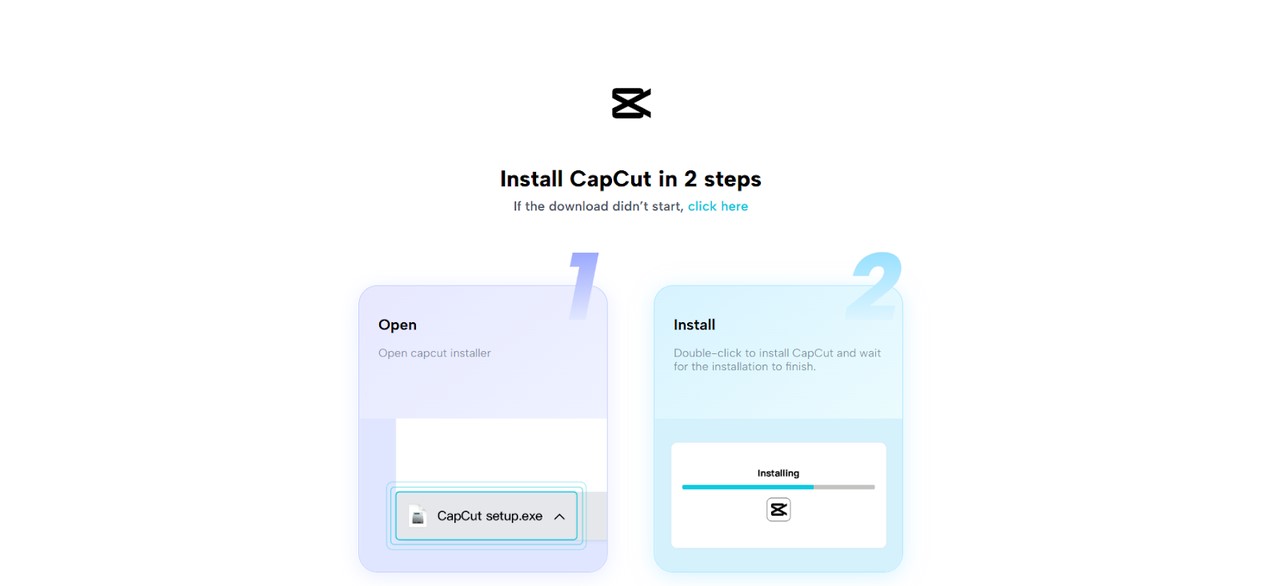
Go to the CapCut site, install the PC version on your Windows or Mac computer, read the instructions, open the program, and press “New Project” to improve your gaming videos.

Step 2: Import and Index Your Clips of Gameplay
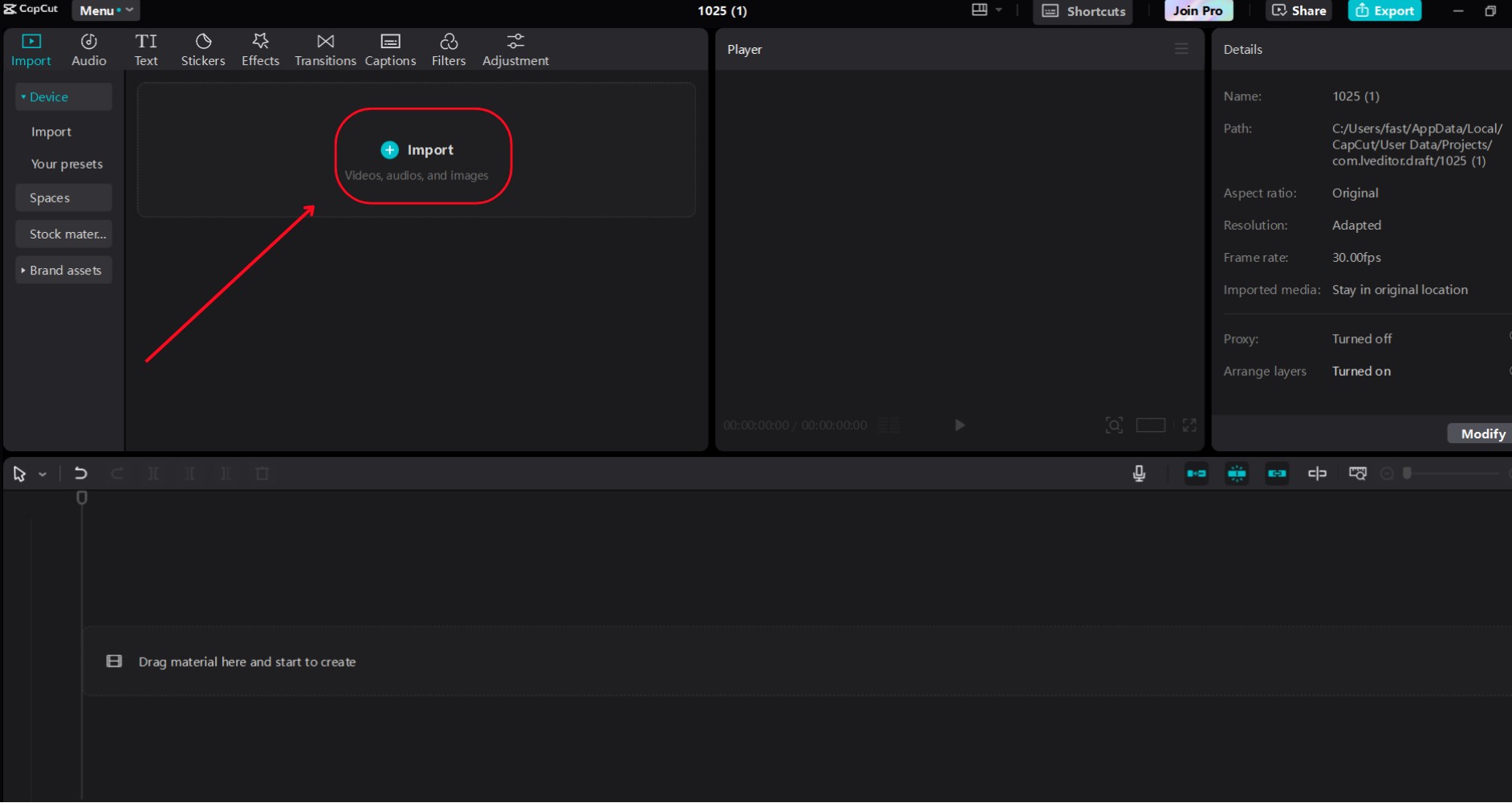
Then open the project, and then choose “Import” to add video clips of gameplay highlights or tutorials and place them on the timeline, via Drag and Drop, in the order of your montage or guide.

Step 3: Enhance Quality with AI Video Upscaler
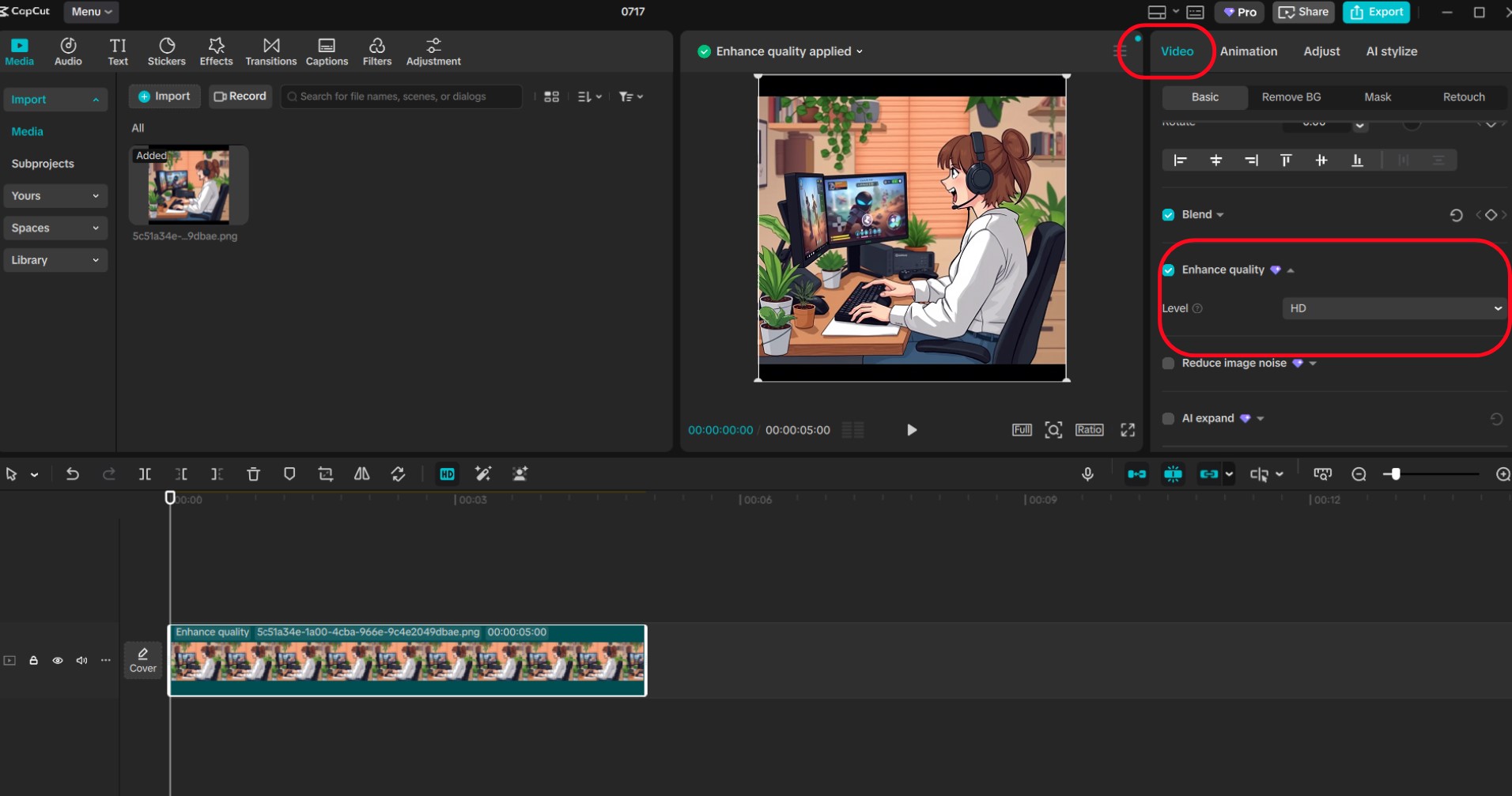
Go into the “Video” tab, into the “Basic” sub-tab, select “Enhance quality”, turn the toggle on, then select 4K enhancement by choosing “UHD”, and preview, with corresponding contrast changes.

Step 4: Add Voiceover Using Text to Speech
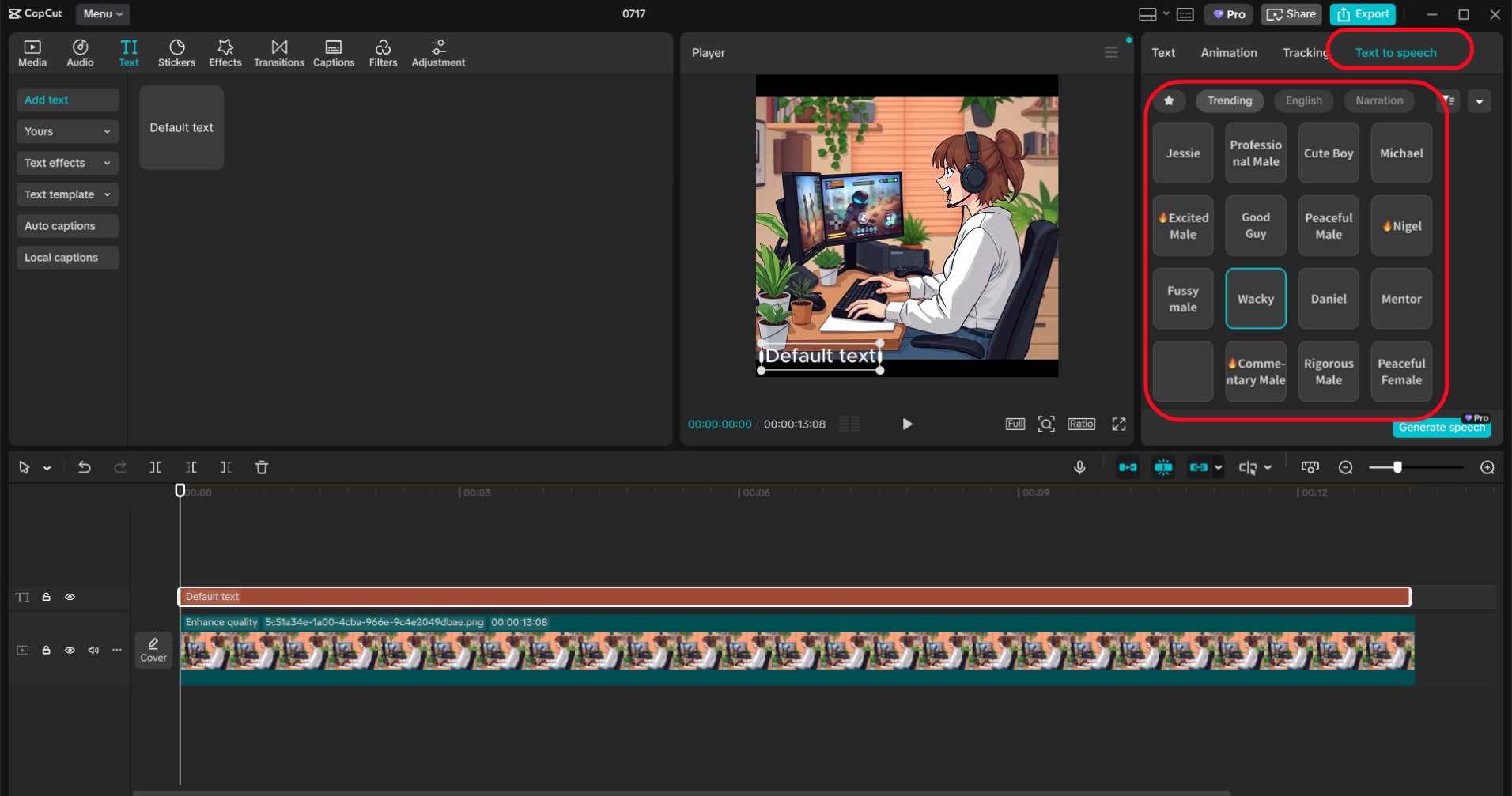
Then, go to the menu, “Text”, switch to the menu of, “Text to speech”, select, “Trending”, append a script with gameplay commentary or tips, to choose a voice, e.g. select, “Excited Male”, or, “Professional Male”, to set font size to 15, and with the sliders change audio speed and pitch level to preview, so that audio can be synced with video.
Step 5: Export and share your masterpiece
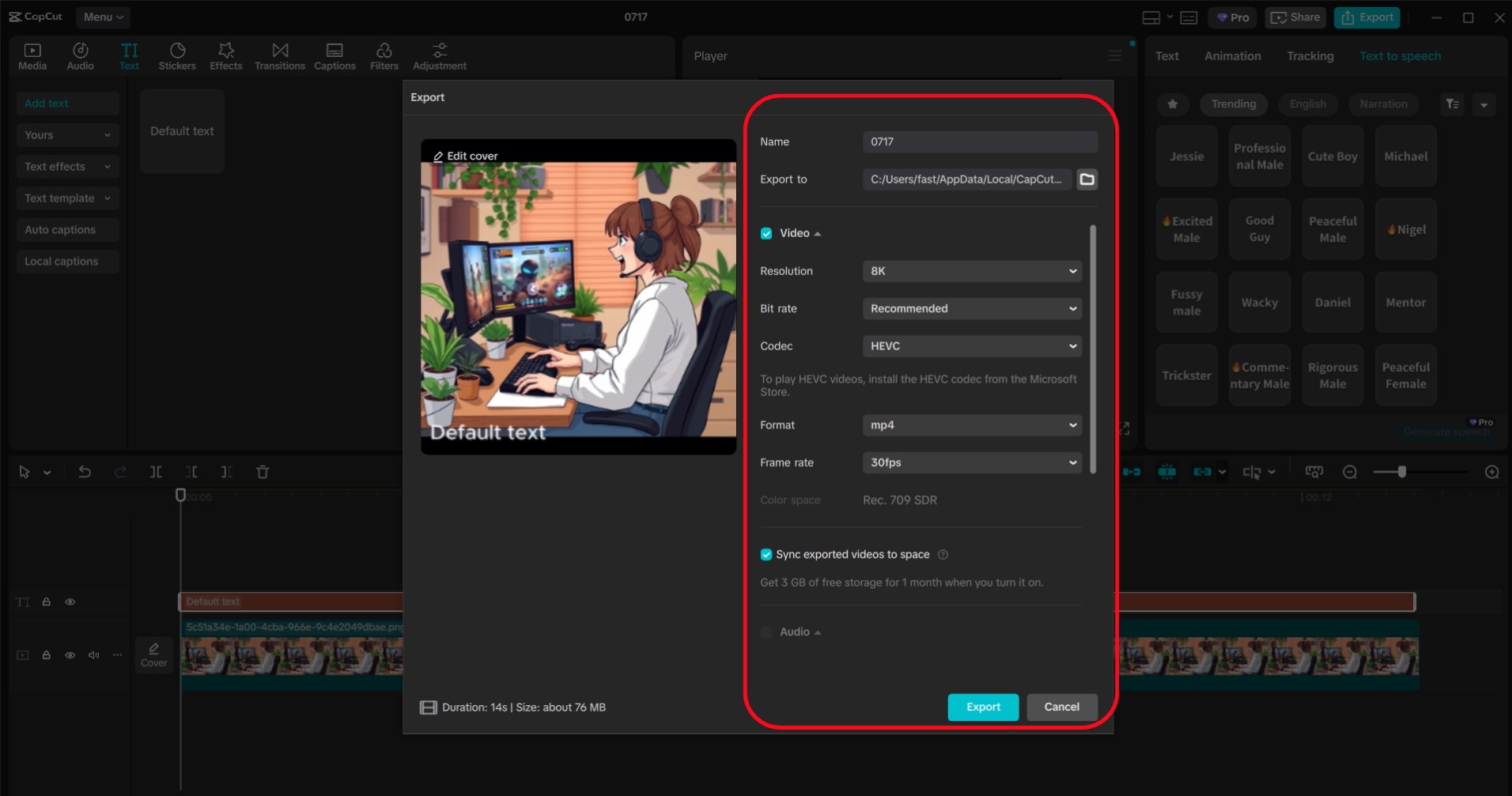
Click on “Export “, choose 1080p and save in “MP4”, format in “File”, and with “Share”, upload your 2020 Fortnite account on Twitch, YouTube, or social media to reach an extensive range of gamers.
Essential CapCut Tools for Gaming Creators
AI Video Upscaler for Eye-Catching Visuals
The AI Video Upscaler resolves frames in detail and full colour, making it perfect for use:
- Intense shooters (e.g., Call of Duty)
- Complex RPGs (e.g. Baldur’s Gate 3)
- Retro/strategy games
AI Voice Generator of Compelling Commentary
Create pro-level commentary using the AI voice generator feature of the CapCut that fits your style, whether a casual stroll-through.
Conclusion: Take Your Gaming to the Next Level with CapCut
CapCut Desktop offers new and experienced gaming content creators the ability to create a polished and engaging output using AI-powered capabilities without stress and strain. The AI Video Upscaler takes low-res clips into high definition, colourful, and the Text-to-Speech feature introduces a professional vibe in the narration.
From your initial YouTube montage to your viral Twitch clip, CapCut can guarantee that your headshots, speedrun and epic moments glimmer in crystalline clearness.
Start right now & make all your gaming highlights appear and sound like a pro production!